Sunday, 15 December 2019

Fxtec Pro1 review: For physical keyboard die-hards only

A decade ago, people still furiously pecked at the physical keyboards of BlackBerries and some Android phones. Swipe-typing wasn’t a thing yet and many clung to the notion that a smartphone must include real buttons to press. These preferences faded over time, and phones with keys largely died out. Still, some die-hards remain and it is those folks Fxtec is targeting with the Pro1.

The Fxtec Pro1 features a full-sized screen and a physical keyboard that hides behind the screen when not in use. When opened and set on a table, it resembles a mini laptop and is clearly meant for those seeking to be productive.

Can this small company convince people to come back to the keyboard? Find out in Android Authority‘s Fxtec Pro1 review.

About this Fxtec Pro1 review: I tested the Pro1 over a period of two weeks, using the phone as my primary device. The phone ran Android 9 Pie with the September 5 security patch. Fxtec provided the review unit to Android Authority.
Show More

Fxtec Pro1 review: The big picture

Fxtec Pro1 review left keyboard profile

The first real smartphones from the likes of BlackBerry and Palm featured tiny keyboards for typing. I happily poked at my BlackBerry 8700 and Palm Treo 650 back in the day. Many millions of mobile professionals cut their teeth on these devices, often supplied by work, and were the first real wave of smartphone users.

The tech industry moves fast, however, and the Apple iPhone changed everything in 2007.

Keyboard-equipped phones lost to big-screened devices for a reason: people prefer phones with large displays. (Have you see the size of the screen on the Samsung Galaxy Note 10 Plus?) Keyboards eat into the real estate available for those screens, and solutions such as GboardSwype, and auto-correct helped resolve the typing issues prevalent on screen-only phones.

Still, some of those early original smartphone adopters miss the keyboard, which they felt provided a better experience for composing emails on a screen. Fxtec isn’t necessarily targeting older people, but it is eyeing, in the words of founder and CEO Adrian Li Mow Ching, “people who need to get shit done.”

Did the Fxtec Pro1 help me get more stuff done in the time I used it? I’m here to tell you.

What is the Fxtec Pro1?
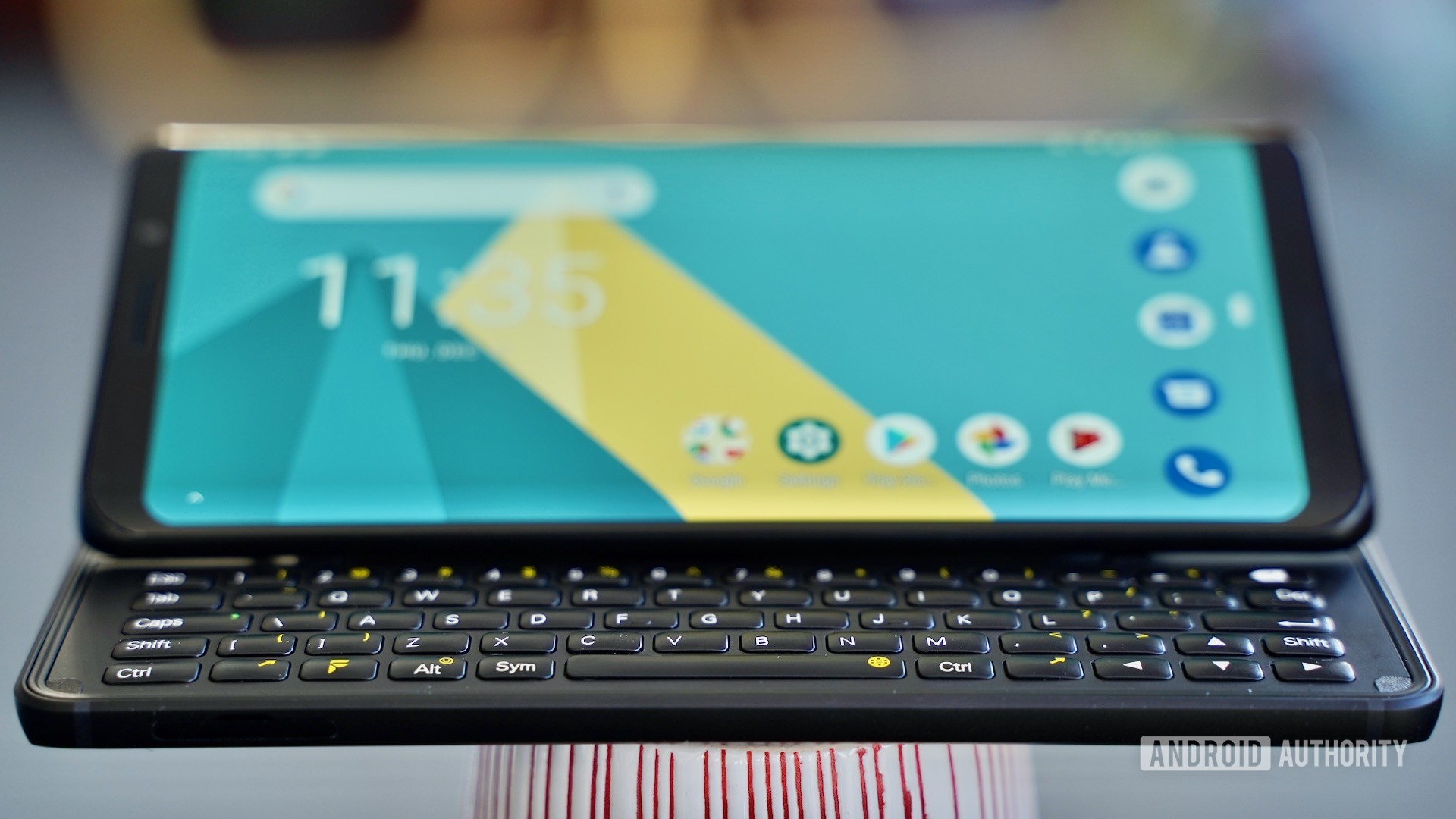
Fxtec Pro1 review wide angle view

Finding a modern smartphone with a built-in QWERTY keyboard is all but impossible. The TCL-made BlackBerry Key2 and Key2 LE are just about it. These two are candybar-style phones, however, like the BlackBerries of old, meaning the screens are smaller to accommodate a keyboard that’s crammed into the phone’s chin. The BlackBerries’ keyboards are always accessible.

The Pro1 is what we used to refer to as a sideways slider, though it doesn’t quite slide. The phone has two halves that rest upon one another: the screen up top and the keyboard underneath. There used to be lots of these: The Samsung Galaxy Indulge, the Motorola Cliq, the LG Mach, for example.

Rather than simply slide back and forth, the Pro1 has a hinge that angles the screen up at an angle. It doesn’t stand at 100 or 110 degrees; rather, it is a comfortable 155-degree angle for viewing the screen when holding the phone in your hands.
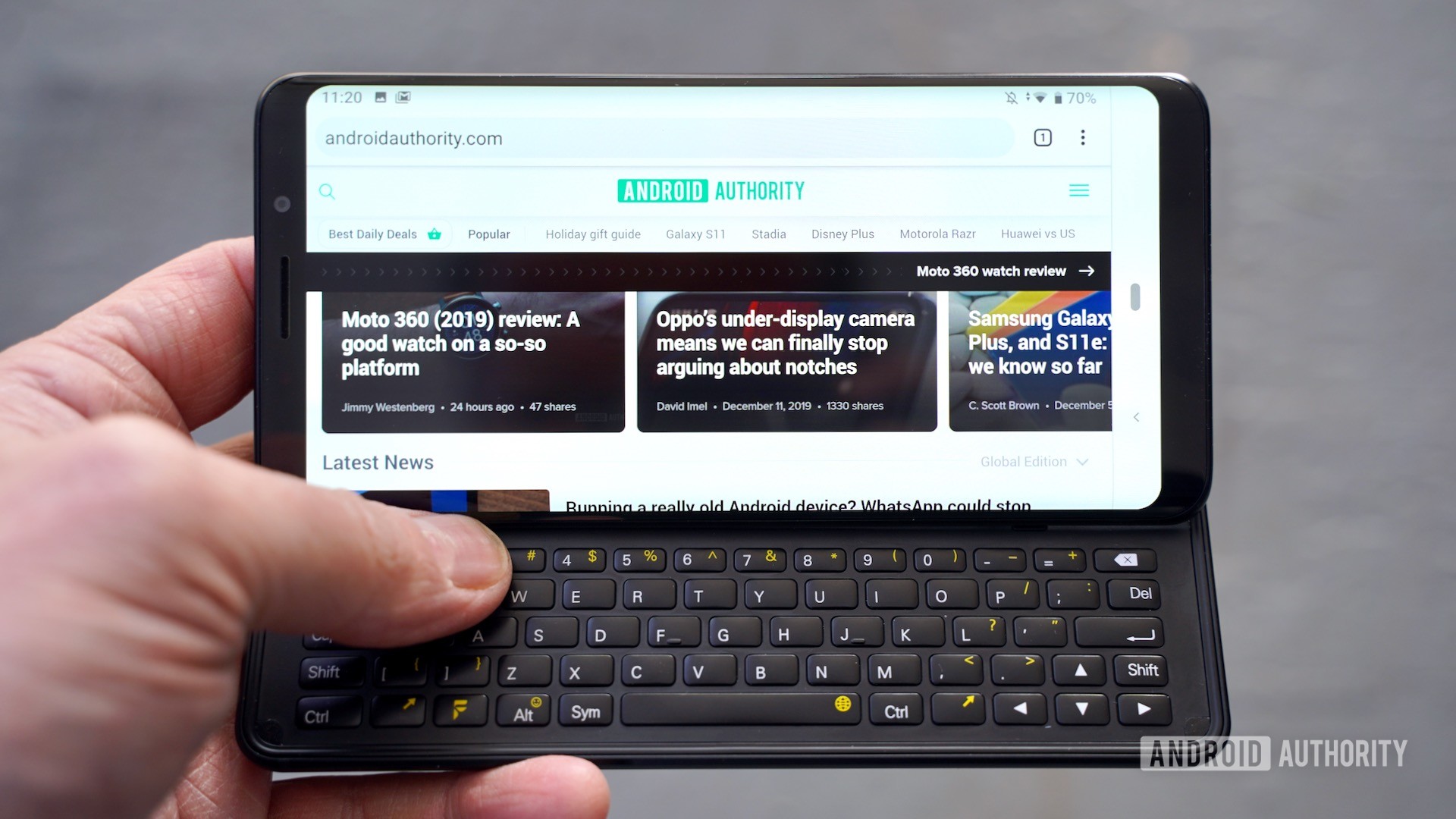
Fxtec Pro1 review inthe hand

The phone it most closely resembles is the 2007-era Nokia E97, which, says Fxtec, actually inspired the hinge design.

See also: Best smartphones with keyboards

What are the Fxtec Pro1’s hardware features?

Fxtec Pro1 review front profile standing

As far as basic features are concerned, the Pro1 might surprise you. The screen measures 5.99 inches across the diagonal with Full HD+ resolution (2,160 x 1,080). It is protected by Gorilla Glass 3. I’d call it a decent screen, but also a forgettable one. The size and resolution are fine, it offers plenty of light, and the colors are accurate. Outdoor visibility is good enough.

The Pro1 is comparable to other phones with 6-inch screens, at least in terms of length and width. Its 14mm depth, however, makes it chunky. The front may be glass, but Fxtec had no choice but to use lots of metal in the sliding hinge mechanism and the bottom half of the phone. It’s a heavy. At 244.6g or 8.63oz, the Pro1 is heavier than a Samsung Galaxy Note 10 Plus — with a case on.

Fxtec smoothed over the profile of the phone, giving it curved side edges (including the display) and rounded corners. This absolutely necessary design decision helps reduce the overall footprint to a more pocketable size. The rear metal has a matte black finishing a nice grain.
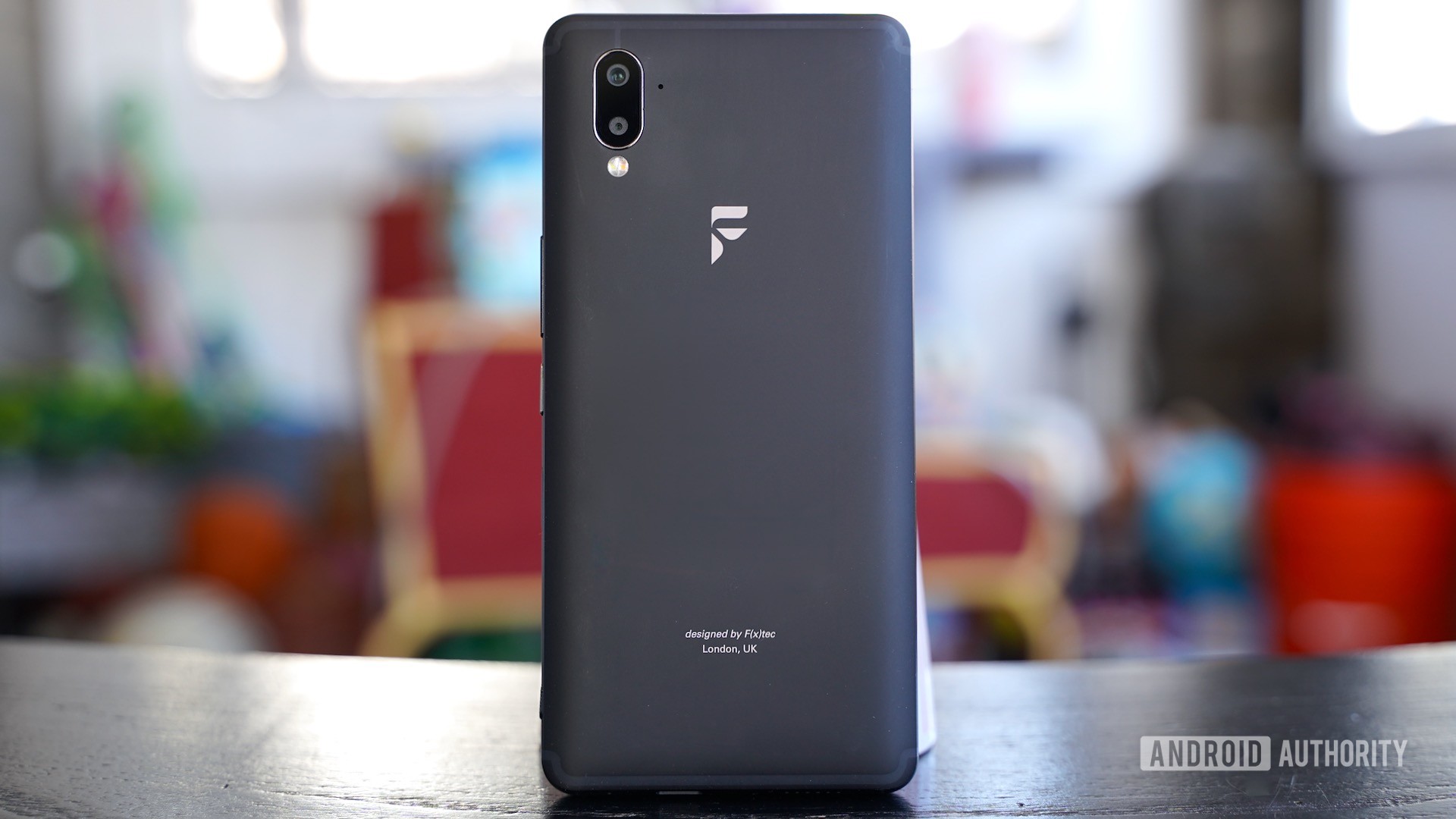
Fxtec Pro1 review rear panel

The Pro1 is thick and heavy, but the aluminum and glass feel nice.

Three buttons are on the right edge of the phone, including a volume toggle, power button, and camera key. I am not a fan of the buttons, which make loud clacky sounds when pressed. The volume toggle is loose and floats a bit, while the camera button hardly moves at all.

A fingerprint reader is mounted on the right edge, too. It’s a bit low. I found it easy to train, but it hardly ever worked properly. I gave up and resorted to a password.

Fxtec Pro1 review right edge Fxtec Pro1 review closed laying down

You’ll find a 3.5mm jack on top, USB-C port on the bottom, and a SIM card slot on the left edge. I appreciate that the SIM tray can be removed with just your fingernail. It can accommodate two SIM cards, or one SIM with a microSD memory card.

The Pro1 is not rugged, nor is it water proof/resistant.

What’s it like to use the Fxtec Pro1?
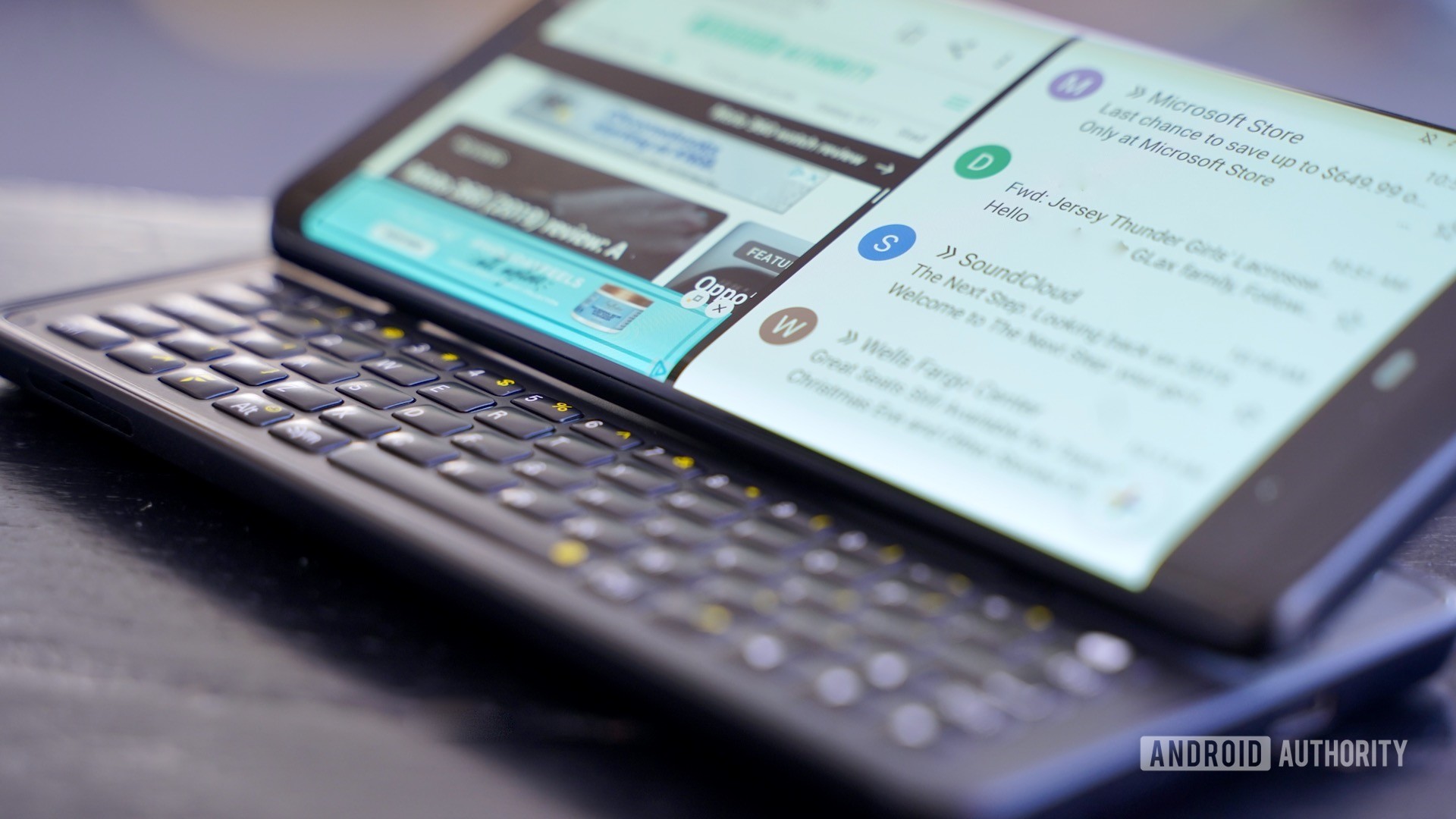
Fxtec Pro1 review right profile with screen lit

Despite seeing various prototypes of the Pro1 over a period of more than seven months, I’m still not convinced Fxtec got the design right. I like and appreciate the basic concept here, but the execution is simply not there.

The foremost problem is the hinge. The physical act of forcing the top half to open is maddening. Rather than simply pop open with a little pressure, you have to press the top half forcefully to convince the hinge to budge. This has been true across all the prototypes I’ve seen, including the shipping model we reviewed. Thanks to the rounded design, your fingers have little purchase to push against. This means you’re just as apt to accidentally fling the phone across the room as you are to successfully open the hinge.

Fxtec Pro1 review left rear hinge view Fxtec Pro1 review hinge design from right

Opening the hinge to access the keyboard is far too difficult.

To be perfectly clear: Opening the hinge to access the keyboard, the phone’s signature feature, is far too difficult. I shouldn’t have to think about it, it should be a one-handed, muscle-memory action that I don’t even know I’m doing. Instead, I fight the phone each time and fear I’ll send it flying. Moreover, it takes longer to successfully and safely open than it does to just use the on-screen software keyboard.

Unfortunately for Fxtec, frustration defines the entire experience of using the Pro1.

See also: Best Bluetooth keyboards you can currently buy

How is the keyboard?

Fxtec Pro1 review keyboard closeup

They physical keyboard itself is fine. It’s a five-row job with dedicated rows for numbers and other controls such as a spacebar and arrow keys. It’s pretty much a full QWERTY keyboard.

I’ve never been a fan of the sideways keyboard layout. I find my thumbs have to travel too much, which cuts down on efficiency when typing. That said, surely there are people who like this form factor and will find the keyboard comfortable to use. Personally, I’m much faster using Gboard.

The buttons have a dome-like, rounded shape that helps define them. Each key has a distinct and pleasing action. I love that there’s a light for the caps lock button. Fxtec says the Pro1 has a backlit keyboard, but it’s so dim you can only see it in spaces that are nearly pitch black.
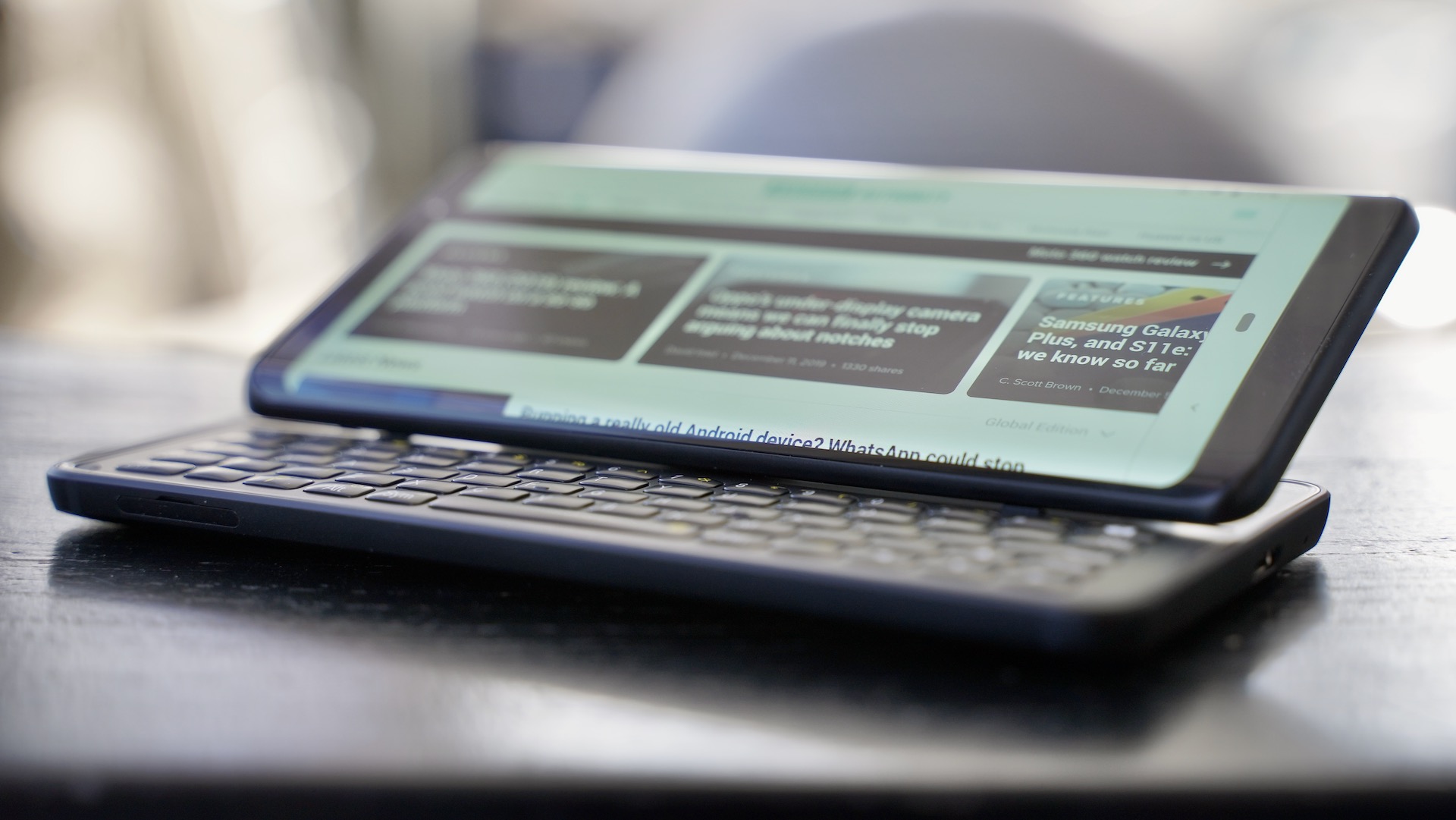
Fxtec Pro1 review open right profile

The real benefits of the keyboard? Shortcuts and multitasking.

The real benefit of the keyboard? Shortcuts. There are a number of pre-loaded keyboard shortcuts for launching apps or actions, but you can customize much of it to your own liking. Power users will appreciate the speed this adds to their workflow.

I will say that the physical keyboard does improve multitasking. It negates the need for an on-screen keyboard, which leaves more room on the display for your apps. For example, you can have Gmail and a browser or other app open side-by-side and quickly move through and input text in either app. This is the most obvious benefit of the Pro1. On screen-only devices, the software keyboard often obliterates one or both apps when multitasking, impeding usability.
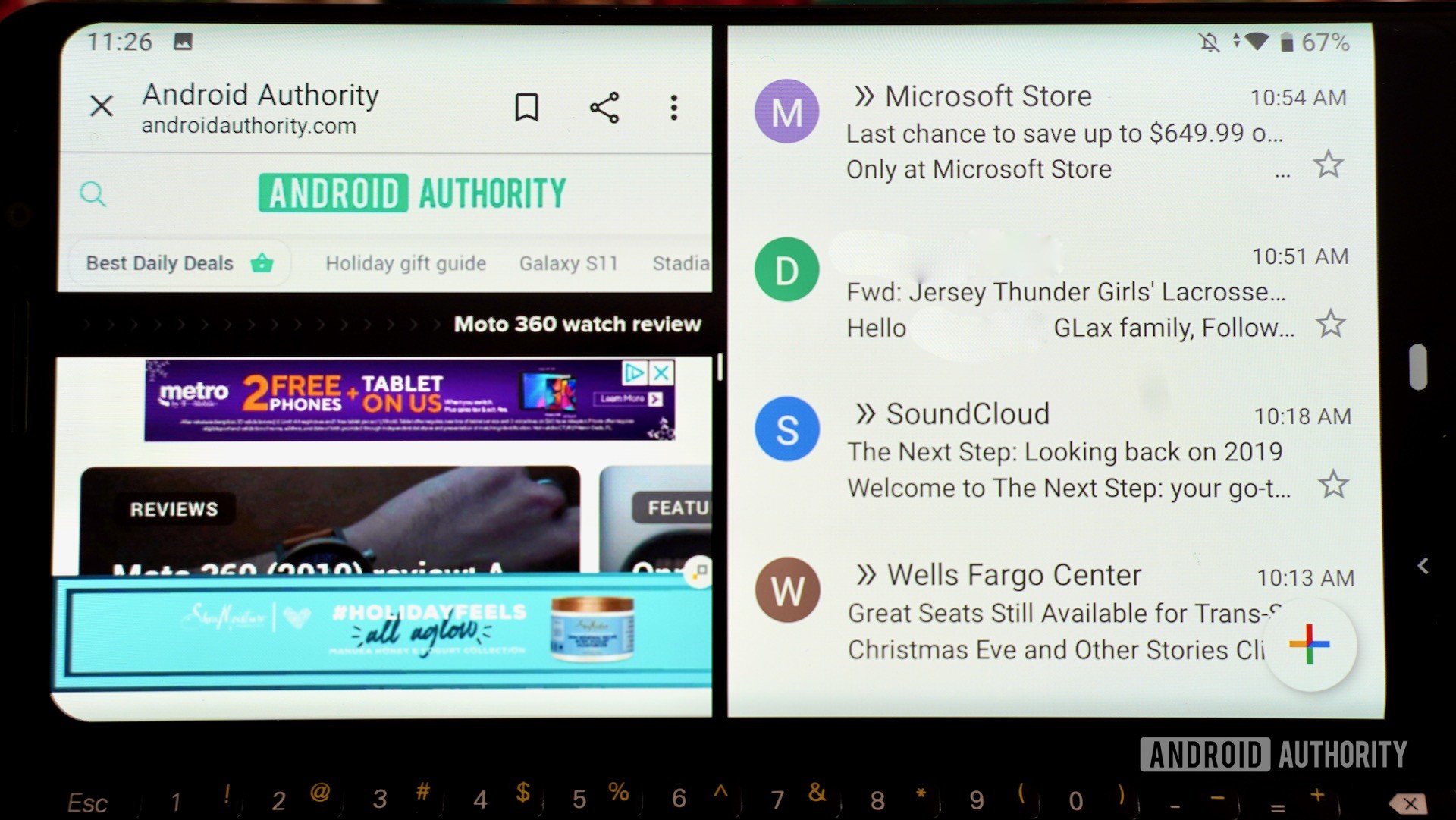
Fxtec Pro1 review miltitasking

Here’s a fun bug, or missing feature: If you slide the phone open while the screen is locked, none of the keyboard buttons will wake the screen so you can unlock it. You have to press the screen lock button on the side. *Facepalm*

Does the Pro1 perform well?
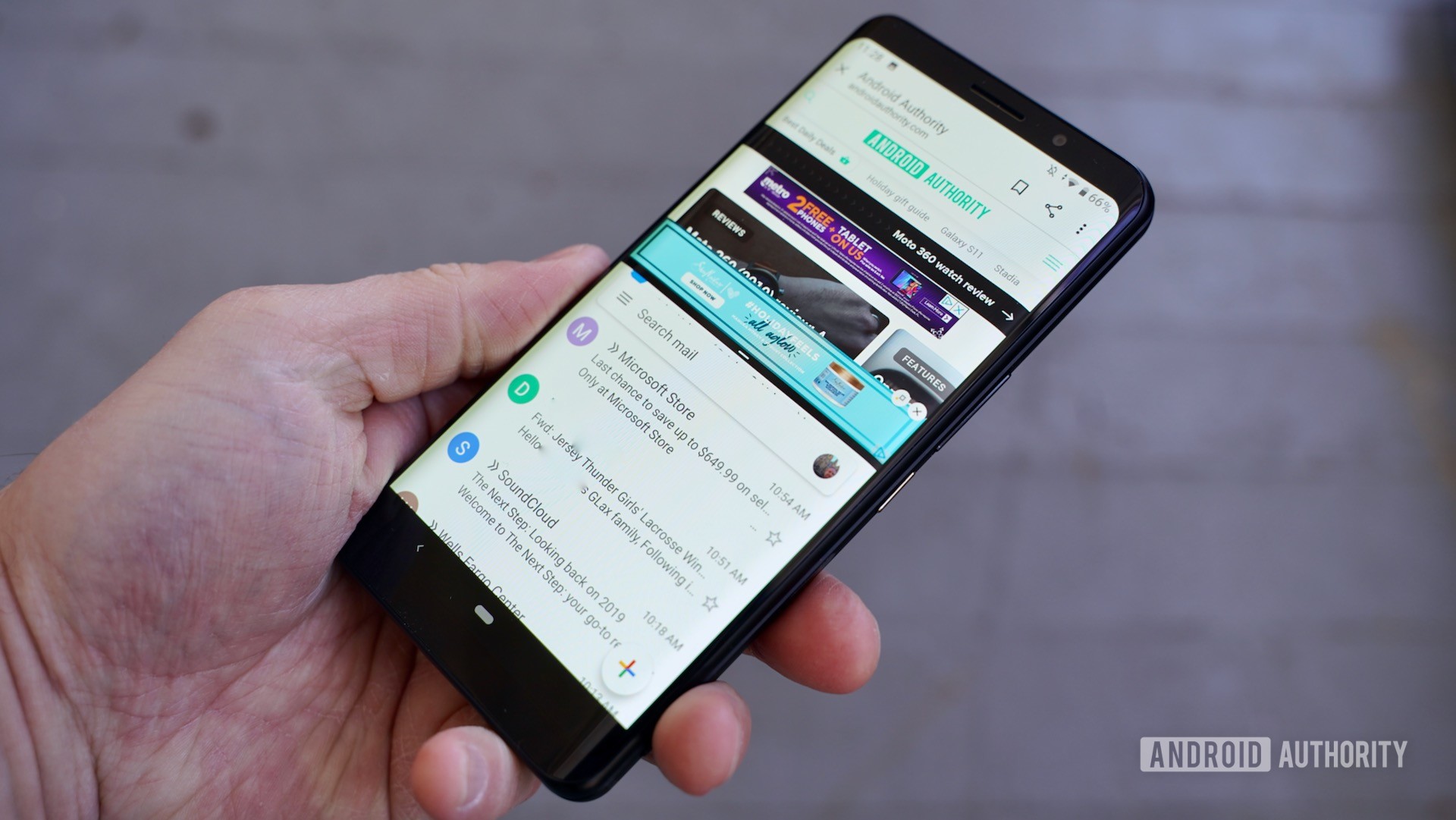
Fxtec Pro1 review in the hand profile

Fxtec first revealed the Pro1 at Mobile World Congress in February 2019 and expected to ship it by May. Through the February 2019 lens, the Snapdragon 835 processor made at least some sense as a less-expensive alternative to the 845 or 855. Now, at the end of 2019, and after Qualcomm announced the Snapdragon 865, the 835 feels like a serious misstep.

The processor, 6GB of RAM, and software all together deliver a janky performance at best. I know that Fxtec has been working hard on optimizing the software, and that’s evident when using the keyboard and multitasking. Nearly all of stock Android 9 Pie user interface has been optimized for the landscape view. Nearly, not all. When using the app-switcher, for example, you will encounter apps that are stuck in the portrait orientation.

Fxtec Pro1 review lock screen Fxtec Pro1 review home screen Fxtec Pro1 review quick settings Fxtec Pro1 review multitasking screen Fxtec Pro1 review app drawer Fxtec Pro1 review settings menu Fxtec Pro1 review keyboard shortcuts

Beyond that, however, nearly everything about the experience is buggy. Apps don’t open quickly, the side buttons don’t always register, and the screen seems to be overly sensitive to the slightest touch, and I find the phone doing something I didn’t intend more often than not.

The Pro1 has good battery life, and works well on AT&T and T-Mobile in the U.S.

The 3,200mAh battery actually does really well. The Pro1 easily pushed though full work days. I never once worried about running out of juice. Further, the included charger can power up the phone is just over an hour. That’s very helpful.
Fxtec Pro1 review camera and branding

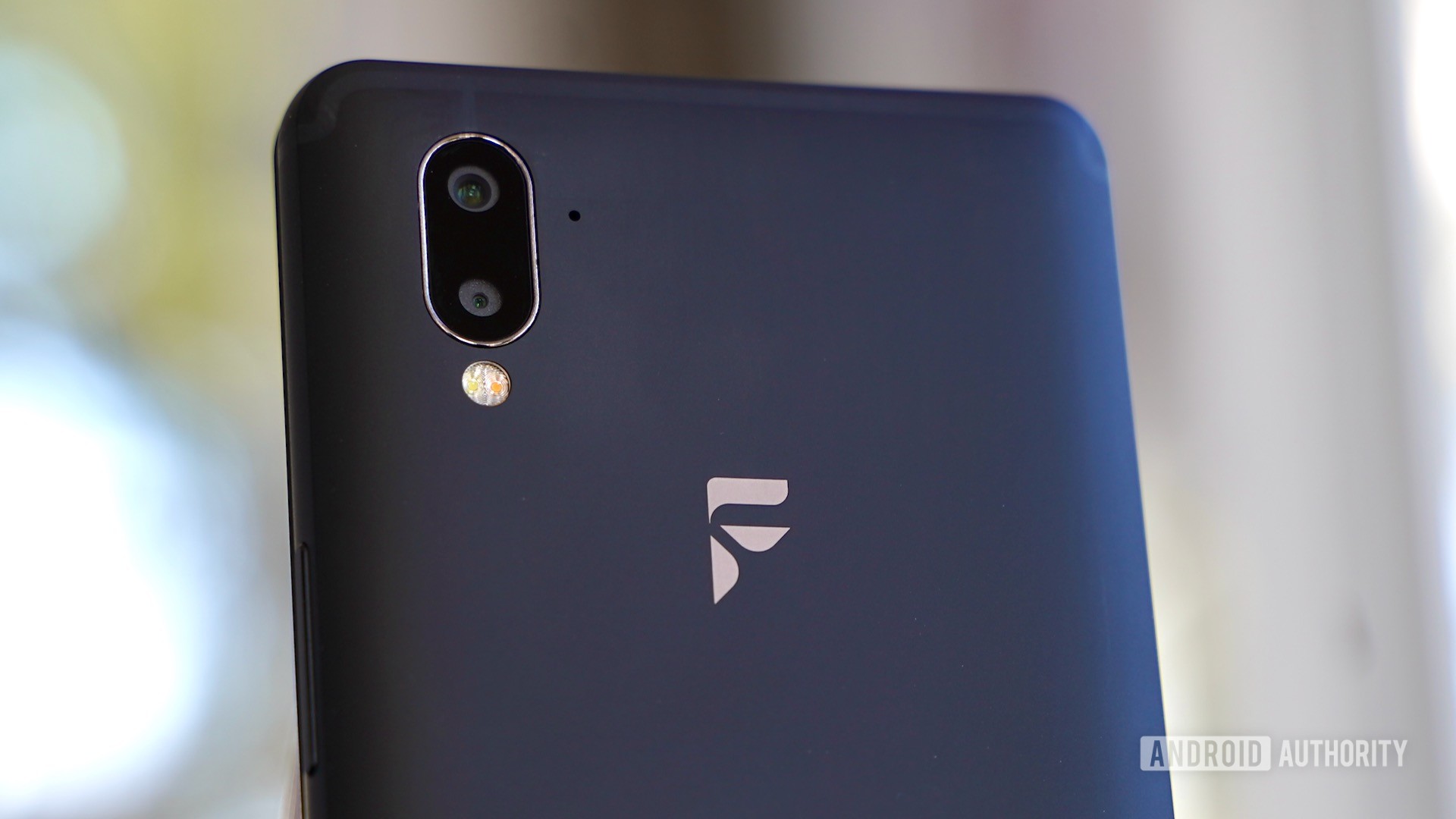
I would call the camera a mess. To start, the app is completely buggy. The buttons react to touches only 50% of the time. At least it has a fair number of shooting modes, including HDR, portrait, landscape, sports, candlelight, sunset, night, beach, snow, and pro. The phone has a 12MP Sony IMX363 sensor with a depth sensor and flash. It takes passable shots, but nothing spectacular. The portrait/bokeh tool struggles with edge detection.

Fxtec Pro1 review camera sample snowscape Fxtec Pro1 review camera sample brick wall Fxtec Pro1 review camera sample village Fxtec Pro1 review camera sample lamp

Wireless performance was good all around. The phone is sold unlocked and supports LTE 4G from AT&T/Cricket and T-Mobile/Metro in the U.S. It worked well on both networks. The Wi-Fi and Bluetooth radios get the job done, and there’s an NFC radio for Google Pay.

Last, the vibration motor is just terrible. Sigh.

Should you buy Fxtec Pro1?

Fxtec Pro1 review wide angle view

To put it simply, no. While I have a lot of respect for the team behind the Fxtec Pro1, this device is not polished enough. Hardware and software issues compromise the performance too much. The hinge is difficult, the buttons loose, and the processor not up to par. I do genuinely like the keyboard itself, and battery life is solid. These aren’t enough, however, to salvage the entire phone.

Moreover, the value isn’t there. Fxtec charges $699 for the Pro1. Phones in this price range need to work well across the board. Also, the phone will take four to six weeks to reach you once you place an order.

If you truly need the extra real estate for multitasking and typing, you’ll be much better served by the LG G8x ThinQ, with its second screen accessory that can serve as a keyboard if you wish.

In the end, I can only recommend this phone to those who absolutely, positively, must have a physical keyboard attached to their phone — and even then I think the two-year-old BlackBerry Key2 is a better overall pick.

Fxtec Pro1 Android smartphone with a fill-sized keyboard.
Typing on the glass screens of modern smartphones isn't ideal for everyone. The Fxtec Pro1, with a physical keyboard, brings back the tactile experience.


from Android Authority https://ift.tt/2Q0iH6X

Pinstriped is the productivity tool that actually ends pointless meetings. Get it for $30 today


With Pinstriped, meetings get organized, stay organized and wipe out all those diversions that send other meetings into the weeds. You set up a timed and structured agenda that goes to all your participants, including all your supporting links, like discussion points, files or other supplemental material.


from The Next Web https://ift.tt/2qPOpei

Samsung Galaxy S10 Plus international giveaway!

It’s time for the Sunday giveaway! Like every week, we’re giving away a brand new Android phone to one lucky Android Authority reader.

A big congratulations to the winner of last week’s Google Pixel 4 international giveaway, Stijepo D. from Croatia.

This week we’re giving away a brand new Samsung Galaxy S10 Plus, brought to you by the Android Authority app!

The DGiT Daily newsletter is a daily briefing focused on bringing you the best tech news and links to what’s happening all around the web. It doesn’t matter if it’s from The Wall Street Journal or the depths of a 41-tweet Twitter thread — we’ll find it, and tell you what it means.

The daily email arrives fresh at around 7 a.m. ET every day, and we’re committed to making sure it entertains with a brief, honest, authoritative, and never-too-serious look at the tech news of the day via our Senior Editor, Tristan Rayner.

The DGiT Daily also comes with two bonuses. The first is a daily surprise segment you’ll have to read each day — you’ll get an idea by looking at our recent editions from this week: The next Xbox: Project Scarlett is Xbox Series X from Friday and the 2019 flagships might be better than 2020 flagships from Thursday.

The second bonus is a podcast! Yes, the DGiT Daily is also available as the DGiT Daily podcast, accompanying the newsletter but made for your ears, via always entertaining podcast host Adam Doud (yes, he’s on the Android Authority Podcast too).

Samsung pulled out all the stops with the Galaxy S10 Plus. No, really — there aren’t many features missing from this premium flagship.

The Galaxy S10 packs some of the greatest processors from Samsung and Qualcomm (depending on your region), along with 8GB of RAM to ensure smooth multitasking. A triple-camera setup can be found around back, while the dual 10 and 8MP cameras on the front are cut out of the display — that means there’s no notch to be found. Also, Samsung continues to listen to consumers and keep the 3.5mm headphone jack. Yes!

The only downside here is that the S10 Plus is still $899 from Samsung, and over $700 elsewhere online. But you don’t have to worry about that this week, since we’re giving one away. For free!

To learn more about the Samsung Galaxy S10 Plus, head to our related coverage below:

Enter the giveaway here

Samsung Galaxy S10 Plus international giveaway!

Don’t miss: Sony WH-XB900N headphones international giveaway

Winners gallery

Terms & conditions
  • This is an international giveaway (except when we can not ship to your country).
  • We can ship prizes to all regions in North America, Europe, and Australia. If you live in another region, depending on where you live, we may contact you to offer an alternative prize of equal or similar value to the smartphone offered in the giveaway.
  • We are not responsible for lost shipments.
  • We are not responsible if your giveaway prize malfunctions.
  • You must be age of majority in your country of residence.
  • We are not responsible for any duties or import fees that you may incur.
  • Only one entry per person; please do not enter multiple email addresses. We will verify all winners and if we detect multiple email addresses by the same person you will not be eligible to win.
  • We reserve all rights to make any changes to this giveaway.
  • This giveaway is operated by Android Authority.
  • The prize will ship when it is available to purchase.

More: Android Authority international giveaway FAQs


from Android Authority https://ift.tt/2PKudD6

Deal: Learn video game design for just $16

Learn Game Design

Maybe you’ve heard the good news: A new BioShock game is on the way. If it’s always been your dream to work on triple-A titles like this, we have a deal that can get you started. You can learn all about the design and theory of games with the Learn Game Design Bundle for just $16 with promo code.

Game design is a team effort, but that doesn’t mean that everyone has separate responsibilities. It’s vital to have a wide understanding of the roles and skills to create great games. Luckily for you, this beginner-friendly design learning kit covers the fundamentals. Over the course of 15 hours, you’ll be able to learn character and environment design to make sure that your game looks enticing.

Character and environment design can only get you so far. After that, it’s time for the coding skills to pay the game design bills. After you finish the first few modules, you’ll start using Unity and C# to actually create games of your own. You’ll be able to animate 2D characters and even create a virtual pet game.

Learn Game Design Bundle courses

Learn Game Design highlights:

The seven learning kits included in the Learn Game Design Bundle have a combined retail value of almost $1,100. You can grab them all and start designing right now for just $16. All you have to do is head to the deal on Tech Deals, and make sure to use the promo code MERRYSAVE15 at checkout.

You may not be ready to help with BioShock 4, but you could be on your way to starting your own epic game legacy.

The deal ends in a couple of days so hit the widget below to get started.

$16 .00
Learn Game Design Bundle Use offer code: MERRYSAVE15
Save $1081 .00
Buy it Now
Learn Game Design Bundle Buy it Now
Save $1081 .00 $16 .00
Use offer code: MERRYSAVE15

Is this deal not quite right for you? To see all our hottest deals, head over to the DEALS HUB.


from Android Authority https://ift.tt/2LYucub

Pixel Feature Drops: Google making old phones new again is great news for us all

google pixel 4 vs pixel 3 vs pixel 3a - Pixel feature drops

Opinion post by
Oliver Cragg

We’re all pretty familiar with the smartphone hype cycle at this point. A phone comes out, the reviews follow, it hits the market, and then rumors and leaks start to emerge for its successor about six months later. Then the upgrade comes out, usually as part of an annualized tick-tock model, you get a fleeting moment of joy out of holding that shiny piece of new tech, and then we repeat the whole process all over again.

This pattern is largely transferable to consumer buying habits, though many consumers in the Western world are happy to wait until their contract agreements (usually 24 months) expire instead of trashing their old phone (recycle it please!) for the very latest model every twelve months.

One year, two years, maybe even three years or more for those that stick with phones until they fully croak — that’s a whole lot of days and hours spent with a device that barely changes, at least not in ways you might immediately notice.

That’s why I’m really intrigued by Google’s newly announced “feature drops” initiative for Pixel phones, and why I hope it represents a small step towards making our phones more exciting well beyond launch.

What are Pixel Feature Drops?

google pixel portrait blur filter

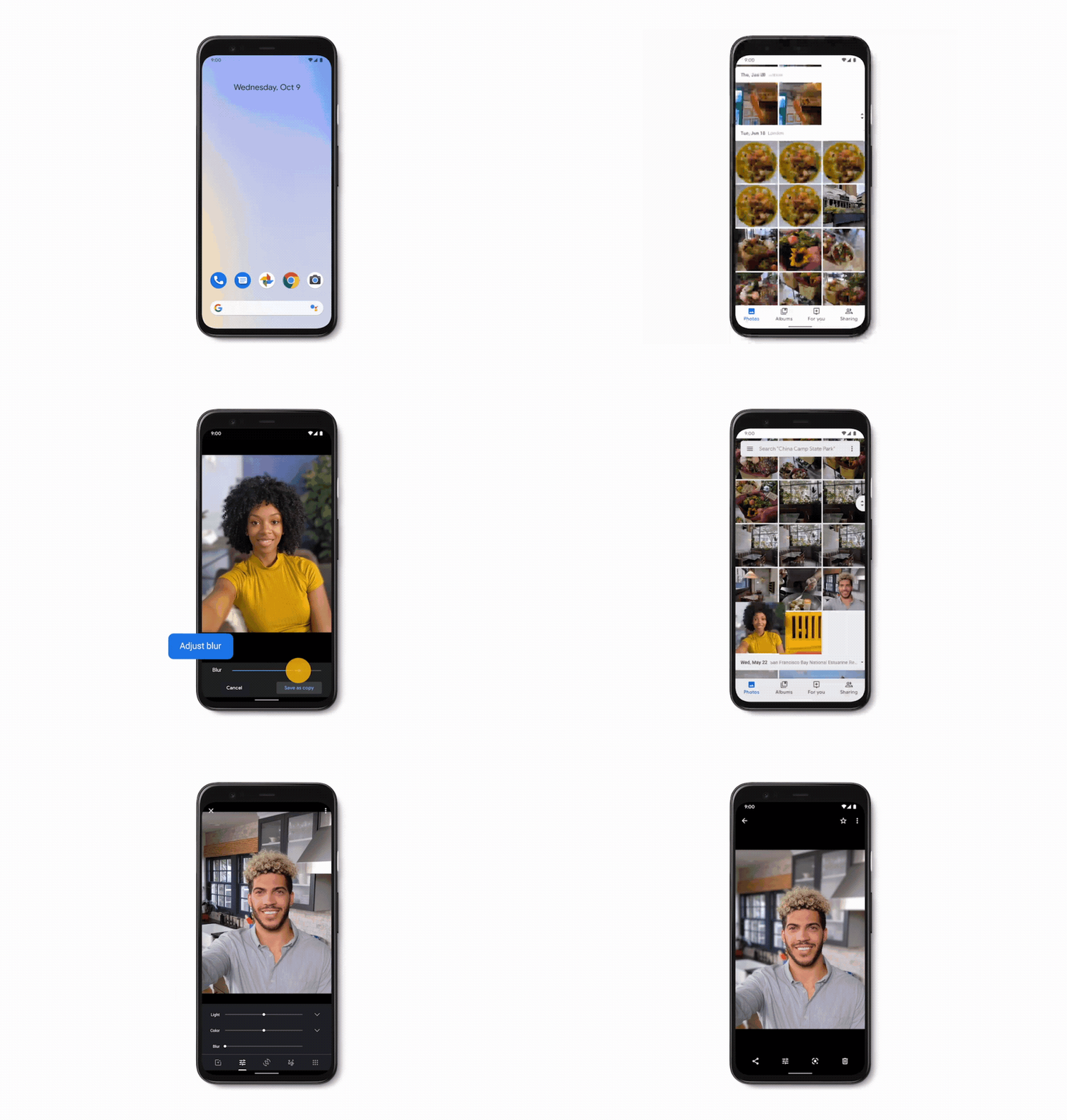
For those that missed the news, Google announced in a recent blog post that it would be rolling out a bunch of new features for select Pixel phones in one huge batch. This included a very cool Google Photos tweak that lets you add a bokeh-style portrait effect to photos not originally taken in portrait mode. Check it out in the GIF above.

You can read about all the other additions here, though my real interest isn’t in the specifics, but the structure and intention. The post kicks off with a blunt mission statement:

Your phone should get better over time. Your Pixel automatically updates regularly with fixes and improvements. Now, your Pixel will also get bigger updates in new Pixel feature drops.

Google later clarified that these feature drops will have a “quarterly cadence,” which in non-flowery speak means Pixel users will be seeing a raft of new features hit their phones every three months or so.

Old phones made new again

Google Pixel camera cluster closeup

It should go without saying, but Google isn’t exactly reinventing the wheel here. Pixel phones have leveraged software to paper over the cracks left by increasingly disappointing hardware for years — both for the phone’s initial feature set and in software updates following launch.

It’s also, of course, not the only OEM that provides significant phone upgrades long after release through software. OnePlus, in particular, has been leading the charge on this front. It seems like a month doesn’t go by without its OxygenOS-powered phones enjoying a sweet new treat, for new and old models alike. Likewise, Samsung’s One UI is rapidly and organically growing into a versatile, feature-rich Android skin.

What if your old phone felt new again every 90 days?

You could argue Google is taking a page out of OnePlus’ playbook by committing to frequent feature updates for its Pixel series phones. The difference, however, is that “cadence.”

Instead of relying on a feast and famine rollout of fresh features through new hardware, seemingly random iterative updates, or flagship Android upgrades, Google is making it clear to Pixel users that new camera modes, apps, and other tweaks will be arriving in bulk on a quarterly schedule. Never mind having to wait for Android 11 or the inevitable Pixel 5, your old phone can feel new again every ninety days.

Let the hype cycle die… kill it if you have to

It should be noted that Google almost certainly won’t be busy crafting new features specifically to suit these drops. Many of the features will have already been in the works months ago, the only difference is they’re being bundled together.

Editor's Pick

Yet, this simple act could prove to be a savvy move that goes some way to replicating the feeling of instant gratification that comes with experiencing something new, only this time on devices that launched months ago — or for phones like the Pixel 2, devices entering their twilight years.

For starters, the feature drop scheme adds prestige to the Pixel brand. The guarantee of timely, feature-rich update bundles is another reason Google can recommend its Pixel line over the competition. If it wants to fully commit to the concept, Google could also use the drops to further showcase its ever-evolving vision of what Android should look like on a quarterly schedule, rather than waiting around for Google I/O once a year.

If Pixel feature drops catch on, other OEMs may be forced to up their software game too.

While it’s perhaps a stretch after just the first drop, Google’s initiative could even prompt industry-wide change. It’s no secret that the smartphone industry has hit a kind-of hardware plateau where it’s becoming harder and harder to really raise the stakes (at least until foldables find their feet), resulting in stagnation and falling sales. The real innovation is coming in the software. Not convinced? Just look at how Google’s approach to crafting its widely-acclaimed Pixel cameras.

Instead of looking to the latest chipset or higher megapixel camera for a minor jolt of excitement, we should instead be asking more from our phones’ software suites. As the creator of Android and with an armada of software and AI experts under its command, Google is in a prime position to push software expectations in the wider smartphone culture.

Google Recorder on Pixel 4.

Unfortunately, while Pixel users have always enjoyed updates with new features throughout their lifespans (albeit at random intervals until now), consumers with other phone brands haven’t always been as lucky. If the Pixel feature drops catch on, it will hopefully force other OEMs to up their game or risk being left behind.

Related: Google Pixel 4 vs Pixel 3 vs Pixel 3a: Which Google phone is right for you?

Whether it’s delivering something as groundbreaking as Call Screening or as seemingly mundane as an overpowered voice recorder app, Google’s new quarterly feature drops are a smart, simple way of piquing smartphone fans’ excitement levels outside of breakout leaks, flashy launch events, and that rush you get when you turn on a brand new smartphone for the first time.

Who knows if other manufacturers will follow in Google’s footsteps, but until they do, I’ll be waiting eagerly for the next drop.

More posts about Google


from Android Authority https://ift.tt/34ipk9C