Sunday, 9 August 2020

Motorola Edge review: Numbers don’t mean everything

The Motorola Edge and Motorola Edge Plus may look identical, but they are vastly different phones under the glassy skin. Where one is a full-on flagship meant to compete with the Samsung Galaxy S20s and LG V60s of the world, the other is a down-spec’d slugger meant to take on the best of the upper mid-range. In other words, what separates the two boils down to some under-the-hood specs that may not mean much to some end users.

Do specs make the phone, or does the overall experience get the job done? Find out in Android Authority‘s Motorola Edge review.

About this Motorola Edge review: We spent a week evaluating the Motorola Edge and comparing it to its more powerful stable mate. Motorola supplied Android Authority with the review unit, which was running Android 10 with the July 2020 security patch.

Motorola Edge review: What is the Motorola Edge?

Motorola Moto Edge facae on brick

Credit: Eric Zeman/ Android Authority

Motorola announced the Motorola Edge Plus and Motorola Edge earlier this year. The Edge Plus is Motorola’s 2020 flagship, while the Edge is a more affordable take on the phone. It’s sort of like the difference between the OnePlus 8 Pro and OnePlus 8, though the two Motorolas share the same size and shape.

The Edge Plus costs a whopping $999 and is available only from Verizon Wireless. Conversely, the Edge costs $699 (on sale for $499 now), and is compatible with all US carriers. The Edge has a lower-grade processor and GPU, has different cameras, and a smaller battery. The screen is the same, as is the chassis. Let’s start there.

See also: Motorola Edge Plus review

Design and display: Carried over

Motorola Moto Edge rear view

Credit: Eric Zeman/ Android Authority

Design: Same same, but different

The Motorola Edge looks every bit a flagship, despite its lower cost. The naked eye cannot tell the Edge from the Edge Plus, as the differences are so minor. The front panel is steeply curved glass that meets an aluminum frame. The rear glass is also curved, though more gently. The Motorola Edge has one of the thinnest aluminum frames out there. I appreciate that the top and bottom metal end caps are bent at the corners to soften their points. The seams are tight and the quality of the materials is excellent across the board.

The aluminum frame has a sharp profile that you can feel pressing against your palm. The volume button and power key, both on the right edge, are razor thin and feel cheap. Motorola kept the size of the rear-mounted camera module in check, but it’s partially made of plastic and feels a tad cheap to the touch.

Motorola Moto Edge back profile

Credit: Eric Zeman/ Android Authority

Where the Edge Plus measures 161.1 x 71.4 x 9.6mm and weighs 203g, the Edge measures 161.64 x 71.1 x 9.29mm and weighs 188g. The Edge is taller, but thinner and lighter. The difference in weight really helps the lower-cost phone when it comes to usability.

The phone isn’t waterproof. Many competing devices, even in the mid-range, carry an IP68 rating against dust and water. Instead, Motorola nano-coated the innards, making the Edge “splash proof.” Rain is ok, the pool is not.

I like the color options, which are Solar Black and Midnight Magenta. Our unit is the black one. There’s no gradient to the finish, but it has an appealing sheen to it that’s more blue than black. I also appreciate the headphone jack, something most competitors lack these days.

Motorola Moto Edge front view

Credit: Eric Zeman/ Android Authority

Display: Identical

  • 6.7-inch AMOLED, curved edge
  • 2,340 x 1,080 FHD
  • 90Hz refresh rate
  • 21:9 aspect ratio
  • Optical in-display fingerprint sensor

The size, resolution, refresh rate, and aspect ratio of the screen are all good. The display is vibrant, colorful, and sharp. Motion looks smooth, thanks to the speedy 90Hz refresh rate, as on-screen elements zoom up and down with nary a stutter. I like the advanced controls for flashing notification lights, dark mode, and such.

The Edge’s display wraps around onto the side edges of the phone. This makes some apps harder to deal with, as you may need to tap something that’s slightly around the curve. Thankfully you can control this to a degree, though it’s on an app-by-app basis. I wish you could dial in the change system wide.

In all, it’s a good screen, though the curve to the edge is a bit too much.

More reading: Which phone has the best display?

Performance

Motorola Moto Edge bottom edge

Credit: Eric Zeman/ Android Authority

Processor: Meeting expectations

  • Qualcomm Snapdragon 765
  • Adreno 620 GPU
  • 4GB RAM
  • 128 storage

With Qualcomm’s sub-flagship processor aboard and 4GB of RAM, the Edge didn’t do as well as its more powerful sibling, but that is no surprise. Its scores on tests such as GeekBench 4 and 3DMark were average at best. However, the phone always felt fast. Nothing bogged the UI down during our time with it. The Motorola Edge has all the performance most users might need, though gamers may find it doesn’t measure up.

Motorola Moto Edge GeekBench Motorola Moto Edge 3DMark

Battery: Surprising

  • 4,500mAh lithium-ion
  • 15W wired charging
  • No wireless charging

Motorola equaled its direct competitors with respect to battery life, at least by some measures. The 4,500mAh capacity cell is the same size as many batteries in this space. Together with the Snapdragon 765 and some smart tuning for the display, the battery delivered superb results.

In our battery torture test, for example, the phone lasted 6 hours 39 minutes at full power, with the processor and other components running at their highest levels. This is the very least screen-on time you’ll get with the phone, and it’s a fine number. Backing off the benchmarks to real-world use saw screen-on time closer to eight hours and mixed use time of 1.5 days.

Charging speeds are limited to 15W. We found the included charger needed more than 90 minutes to fully power the phone from 0%.

The Motorola Edge may be an upper mid-range phone, but there’s nothing mid-range about its battery performance.

See also: Which phone has the best battery life?

Camera: Middling

Motorola Moto Edge cameras

Credit: Eric Zeman/ Android Authority
  • Rear:
    • Main: 64MP sensor, ƒ/1.8
    • Telephoto: 8MP, ƒ/2.4
    • Ultra-wide/Macro: 16MP, ƒ/2.2, 117-deg. FoV
    • Time of flight sensor
  • Front:
    • Selfie: 25MP, ƒ/2.0, 0.9μm pixels, Quad Pixel for 1.8μm
  • Video:
    • 4K, FHD, 19.5:9

If there’s one area of the Edge that fails to live up to the Edge Plus, it’s the camera. Motorola swapped out the 108MP main sensor of the Plus model for a 64MP sensor on the Edge. This change, in addition to the different imaging capabilities of the Snapdragon 765, downgrade the camera performance to what I’d call average at best.

First, the app. The app is fairly robust and still dead simple to use. Shooting modes include: portrait, cutout, macro, spot color, night vision, cinemagraph, panorama, live filter, and high-res, and video modes include macro, slow motion, time-lapse, and AR stickers. I like that the mode picker is just three things: camera, video, and a tray with everything else. The settings allow for plenty of customization to the app. As always, you can launch the camera app with a quick twist of your wrist.

Motorola Moto Edge Camera UI Motorola Moto Edge camera modes Motorola Moto Edge Camera settings

The shots I took with the phone turned out mostly good. Color representation and exposure were generally on point. Noise and artifacts are limited to shadowy areas, which is to be expected. The HDR tool works fairly well.

The interface lets you quickly jump from 0.5x to 1x to 2x. You can zoom in as far as 10x digitally, but the results are really rough. The three main lenses deliver sharp shots at their base focal lengths.

Motorola Moto Edge camera sample bridge Motorola Moto Edge camera sample river Motorola Moto Edge camera sample falls Motorola Moto Edge camera sample tracks Motorola Moto Edge camera sample HDR Motorola Moto Edge camera sample texture Motorola Moto Edge camera samples bushes Motorola Moto Edge macro 1

The selfie shooter is mediocre. The regular selfie shot below is clean and accurate. The portrait, on the other hand, is a mess. The biggest issue is edge detection, which often falls off in the wrong spot. Full resolution photos are available here.

Motorola Moto Edge closeup Motorola Moto Edge camera sample selfie

I like that there are plenty of video options, including 4K, Full HD at 60fps, and the 19.5:9 cinema mode. The video sample I took looked solid, with just a fair touch of noise in darker regions.

Taken as a whole, the Motorola Edge camera is fine, but it stops short of good.

Check out: Which phone has the best camera?

Software: My UX shines

Motorola Moto Edge home screen Motorola Moto Edge app drawer Motorola Moto Edge settings
  • Android 10
  • Motorola My UX

Motorola’s software has led the pack for quite some time. The company employs a mostly stock build of Android, called My UX, with only the lightest enhancements to improve the experience of using the phone day and in day out. Motorola has committed to at least one major OS upgrade for the phone, in addition to security patches for a period of two years. This is a bummer, as the Edge Plus will earn two major OS upgrades. Android 11 is expected to arrive in mere weeks.

Motorola Moto Edge quick settings Motorola Moto Edge customizing fonts Motorola Moto Edge home settings

The software may not look or behave as advanced as competing devices from Samsung and LG, but there’s joy to be found in its simplicity. Moreover, there’s no annoying bloatware from carriers.

Specs

  Motorola Edge Plus Motorola Edge
Display 6.7-inch AMOLED with curved edge display
2,340 x 1,080 resolution
90Hz refresh rate
21:9 aspect ratio
HDR10+
6.7-inch AMOLED with curved edge display
2,340 x 1,080 resolution
90Hz refresh rate
21:9 aspect ratio
SoC Qualcomm Snapdragon 865 Qualcomm Snapdragon 765
GPU Adreno 650 Adreno 620
RAM 12GB
LPDDR5
4GB (NA)
6GB (ROW)
Storage 256GB
UFS 3.0
No microSD expansion
128GB
microSD expansion up to 1TB
Cameras Rear cameras
- Main: 108MP sensor, ƒ/1.8 aperture, 0.8μm pixels, 1/1.33” sensor size, Quad Pixel technology for 1.6μm, OIS
- Telephoto: 8MP sensor, ƒ/2.4 aperture, 1.0μm pixels, 3x high-res optical zoom, OIS
- Ultra-wide and Macro Vision: 16MP sensor, ƒ/2.2 aperture, 1.0μm pixels, 117-degree field-of-view
- Time of flight sensor

Front camera
- 25MP sensor, ƒ/2.0 aperture, 0.9μm pixels, Quad Pixel technology for 1.8μm
Rear cameras
- Main: 64MP sensor, ƒ/1.8 aperture, 0.8μm pixels, 1/1.72” sensor size, Quad Pixel technology for 1.6μm
- Telephoto: 8MP sensor, ƒ/2.4 aperture, 1.12μm pixels, 2x high-res optical zoom
- Ultra-wide and Macro Vision: 16MP sensor, ƒ/2.2 aperture, 1.0μm pixels, 117-degree field-of-view
- Time of flight sensor

Front camera
- 25MP sensor, ƒ/2.0 aperture, 0.9μm pixels, Quad Pixel technology for 1.8μm
IP rating No
Water-repellent design
No
IP54 water-repellent design
Audio Headphone jack
Stereo speakers tuned by Waves Audio
Headphone jack
Stereo speakers tuned by Waves Audio
Biometrics and sensors Optical in-display fingerprint sensor
Accelerometer
Gyroscope
Proximity
Ambient Light
Sensor hub
Barometer
Optical in-display fingerprint sensor
Accelerometer
Gyroscope
Proximity
Ambient Light
Sensor hub
Battery 5,000mAh
Non-removable
15W wired charging
15W wireless charging
5W reverse wireless charging
4,500mAh
Non-removable
18W wired charging
No wireless or reverse wireless charging
SIM Single nano SIM Hybrid dual SIM (2 nano SIMs / 1 nano SIM + 1 microSD)
Network 5G: NR mmWave + sub-6GHz (NA & Russia)
5G: NR sub-6GHz (ROW)
4G: LTE (UL Cat 18 / DL Cat 20)
3G: UMTS / HSPA+
2G: GSM / EDGE / CDMA

Verizon:
5G: mmWave band n260/n261, sub-6GHz band n2/5/66
4G: LTE band 1/2/3/4/5/7/8/12/13/17/20/28//46/48/66
3G: WCDMA band 1/2/5/8
2G: CDMA band 0/1, GSM band 2/3/5/8

ROW:
5G: sub-6GHz band n/5/41/66/71/77/78
4G: LTE band 1/2/3/4/5/7/8/12/13/17/20/25/26/28/29/30/34/38/39/40/41/42/46/66/71
3G: WCDMA band 1/2/4/5/8
2G: CDMA band 0/1, GSM band 2/3/5/8
5G: NR sub-6GHz
4G: LTE (UL Cat 13 / DL Cat 16)
3G: UMTS / HSPA+
2G: GSM / EDGE

5G: 1/2/3/5/7/25/28/38/41/66/71/78
4G: LTE band 1/2/3/4/5/7/8/12/13/17/20/25/2628/32/38/39/40/41/66/71
3G: UMTS band 1/2/4/5/8
3G: CDMA band bc0/bc1/bc10
2G: GSM band 2/3/5/8
Connectivity Bluetooth 5.1
Wi-Fi 802.11 a/b/g/n/ac/ax | 2.4GHz + 5GHz
Wi-Fi 6
Wi-Fi hotspot
GPS, A-GPS, GLONASS, Galileo, BDS (except in US)
Bluetooth 5.1
Wi-Fi 802.11 a/b/g/n/ac | 2.4GHz & 5GHz
Wi-Fi hotspot
GPS, AGPS, LTEPP, SUPL, GLONASS, Galileo, Beidou
Software Android 10 Android 10
Dimensions and weight 161.1 x 71.4 x 9.6mm
203g
161.64 x 71.1 x 9.29mm
188g
Colors Smokey Sangria, Thunder Grey Solar Black, Midnight Magenta

Value for money

  • Motorola Edge: 4GB RAM, 128GB storage — $499

At $499, this device is a steal. Motorola made just the right changes to give the Edge the cost advantage it needs compared to its more performant stablemate. Keep in mind, however, that the $499 price point is temporary. The normal price is $699. Even at the higher price, the value here outweighs that of the $999 Edge Plus.

What about the competition? Other phones at or near the Edge’s regular $699 price point include those such as the OnePlus 8. We really liked the OnePlus 8. Choosing between these two may fall down to a matter of preference.

Motorola Edge review: Should you buy it?

Motorola Moto Edge on the bridge

Credit: Eric Zeman/ Android Authority

An unlocked Motorola sub-flagship for $499? Yes, absolutely. The incredible value for the Motorola Edge makes it hard to pass up, particularly if the price tags of some of today’s devices make you ill. Though I wish the cameras were slightly better, everything else about the Motorola Edge shines in a way that should appeal to the majority of consumers. While the Motorola Edge doesn’t quite have the specs of the Edge Plus, in this case the price more than makes up the difference. Specs aren’t everything, and the Moto Edge is the proof.

$499 .00
Motorola Edge
Save $200 .00
Buy it Now
Motorola Edge Buy it Now
Save $200 .00 $499 .00


from Android Authority https://ift.tt/2DHMRJv

In space, bacteria is even more deadly and resilient to antibiotics


China recently launched its Tianwen-1 mission to Mars. A rocket holding an orbiter, lander and rover took flight from the country’s Hainan province, with hopes to deploy the rover on Mars’s surface by early next year. Similarly, the launch of the Emirates Mars Mission marked the Arab world’s foray into interplanetary space travel. And on July 30, we saw NASA’s Mars Perseverance rover finally take off from Florida. For many nations and their people, space is becoming the ultimate frontier. But although we’re gaining the ability to travel smarter and faster into space, much remains unknown about its effects on biological…

This story continues at The Next Web


from The Next Web https://ift.tt/2XZbPLV

Does the OnePlus Nord mark the return of the original flagship killer?

OnePlus Nord Angled macro close up of OnePlus logo

Credit: Ryan-Thomas Shaw/ Android Authority
Opinion post by
Igor Bonifacic

With the OnePlus Nord, the Shenzhen brand has released a phone that falls under the $500 mark (or at least it would have if it actually launched in the US). That’s something the company hasn’t done in almost three years, which is a very long time in the smartphone industry. But is the phone truly a return to the brand’s “Flagship Killer” roots as many fans had hoped?

If you’re not familiar with the term, most define a flagship killer as a device that features a top-of-the-line processor and a generous amount of RAM, but sacrifices on features — such as camera quality — to keep costs down. Early on, OnePlus made a name for itself releasing flagship killers and actually coined the phrase with the release of its first-ever phone, the OnePlus One. But in recent years its phones have started to cost almost as much as rival handsets, culminating with the $899 OnePlus 8 Pro.

See also: OnePlus phones: A history of the company’s entire lineup so far

When you look back at the last few years of smartphone releases, few phones fit into the flagship killer category. There have been handsets like the Poco F1 that have fit the mold, but those have mostly been few and far between. The closest thing to a modern-day flagship killer in 2020 is, bizarrely, the iPhone SE. With its A13 Bionic chip, the SE is faster than many phones in the $1,000 price range. The irony here is that the OnePlus One and subsequent flagship killers were partly a response to the price of Apple’s handsets.

In a way, the flagship killer designation was never a meaningful category. While the Android community adopted the term, it was always first and foremost a marketing catchphrase. It helped OnePlus smooth over the weaknesses of its phones when they were missing features like NFC, IP ratings, flagship-level cameras, and wireless charging. When it was no longer a useful way to frame its devices, OnePlus started to distance itself from the term.

iPhone SE vs OnePlus Nord Rear panels next to eachother

Credit: Ryan-Thomas Shaw/ Android Authority

All of that brings us back to the OnePlus Nord. I think it’s safe to say the phone isn’t appealing to OnePlus fans who want the fastest possible phone for the least amount of money. With its Snapdragon 765G chipset, the OnePlus Nord was never going to be that device, nor did the company ever envision it as a course correction from the current state of its flagship lineup.

“I don’t think it is a direct response to our flagship [becoming more expensive],” OnePlus co-founder Carl Pei told Android Authority in July. “It’s just that we feel now is the right time to target a broader set of consumers…”

The question we should be asking is whether the Nord would have been a compelling device had OnePlus gone back to its flagship killer formula. The OnePlus One made a lot of sense back in 2014. At the time, companies like Samsung were struggling to forge an identity with overstuffed devices like the Galaxy S5 that tried to be everything to everyone. By contrast, the OnePlus One had the advantage of a narrow focus. You knew exactly what you were getting with it: an affordable but capable device with a quirky, stylish offshoot of Android made for enthusiasts.

The OnePlus One was never going to make sense to everyone (the confusing invite system certainly didn’t help), but the important point is that to the people it did appeal to, the final product was everything they wanted in a phone.

Thanks to component commoditization, what consumers expect from their latest phone purchase has changed a lot since 2014. Now, we all want a device that does everything. There’s an alternate universe where a version of the Nord exists featuring a Snapdragon 865 or even 865 Plus processor, offering the top Qualcomm silicon on a budget like OnePlus’ flagship killers of old. However, doing so would have inevitably meant compromises in other areas.

Imagine if the company had sacrificed the Nord’s amazing AMOLED display with a 90Hz refresh rate, a total of six cameras, or its signature Warp Charge feature. That version of the Nord probably wouldn’t have earned our recommendation. With its smooth display, fast-enough performance and robust software, the Nord is a better device for being an all-rounder. It’s also more appealing to a broader number of consumers, which is clearly what OnePlus was going for.

Flagship killers were always a means to an end for OnePlus.

Making relatively affordable high-end phones and marketing them the way it did was always a means to an end for OnePlus. The company’s ambition was never to stay in the affordable space. It always wanted to compete at the same price point as Apple and Samsung, because that’s where the money and prestige lies.

However, what the company wisely realized from the start was that it takes time to get to that upper echelon. Minus brand loyalty, consumers respond to perceived value more than anything else. There’s a reason every new OnePlus flagship has cost more than the one that came before it. It’s because OnePlus has always directly correlated the cost of its phones to the value of its brand. The smartphone space is littered with companies that have tried and failed to break into the high-end market, OnePlus was merely smart enough to know it had to lay the groundwork first.

Nevertheless, the fact OnePlus has returned to making affordable devices is worth celebrating, even if it’s not the grand return of the flagship killer that some fans wanted.


Read more about the OnePlus Nord:


from Android Authority https://ift.tt/31FyqhA

Python vs Java: Which language should you learn and what are the differences?

Python vs Java

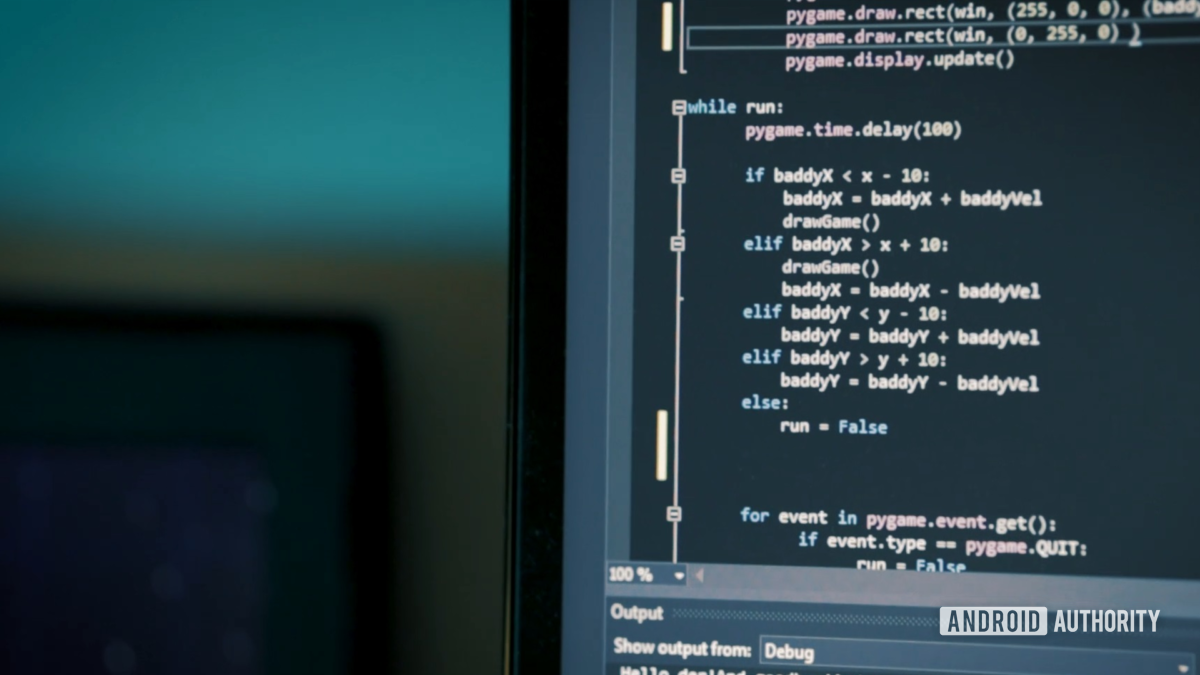
Both Python and Java frequently top lists of the most in-demand programming languages among employers. These are powerful, flexible, and object-oriented languages that are commonly used across organizations and in a wide variety of other settings.

This may lead you to ask the inevitable question: which is better? Or at least, which one should you learn?

Also read: I want to develop Android apps: what languages should I learn?

This is a complicated question, seeing as the two languages are actually quite different (it’s never that simple!). So read on, and we’ll unravel the question of Python vs Java to see which is best for you.

Python vs Java: structure and design

First, let’s take a look at how Python and Java are written and how this affects the experience of programming.

Object-Oriented

Python and Java are both considered to be “object-oriented” programming languages. This means they allow developers to create data objects through classes. While this is a complex concept for a beginner to get their head around, it effectively allows for very efficient and well-designed code. Classes are modular by nature and allow for very scalable programs that can do a lot with less code.

Java and Python are object oriented

But if you’re still scratching your head asking how data can be an “object,” then you have run into the first problem with object-oriented programming: it’s confusing for beginners!

That’s why many people love the fact that Python also “supports multiple paradigms.” This means that you can create functional/imperative code that is read from top to bottom, making it much easier to get to grips with. It also makes Python very quick for developers that just want to make a quick app in a couple of lines to perform a useful job.

(Of course, it’s technically possible to write functional/imperative code in Java, but Python lends itself better to this type of code.)

Readability and White Space

This lack of forced-paradigm makes Python more beginner-friendly and flexible, but so too do many of the syntax decisions.

For example, Python encourages the use of lots of whitespace, doesn’t require semi-colons at the end of every statement. As a rule, Python also requires less boilerplate code as compared with Java (meaning that you can do more with fewer lines).

Python vs Java syntax

The semi-colon thing is big. In Java, you can write a beautiful program that is millions of lines long and have it not run because you forgot to include a semi-colon! No matter how experienced you are, this will always happen.

That said, while it might seem like a nuisance, restrictions like this do force you to write well-organized code and can avoid confusion down-the-line.

What’s more, is that other programming languages are similarly strict in terms of their grammar and structure. That means that Java will generally be better at preparing developers to work with other languages, such as the very-similar C#.

Also read: An introduction to C# for Android for beginners

Other differences are largely cosmetic: Python prefers snake_case for functions and variables (because snakes), whereas Java uses camelCase.

On the whole, a page of Python is much less daunting and reads a bit more like English. Java can be denser to wrap your head around, especially if you’re new to programming. But there is (usually) a method to the madness. (Sometimes literally.)

Static vs Dynamic

A key factor in the competition between Python vs Java, is that java is statically typed and Python is dynamically typed.

This means that when you declare a variable in Java – which is a word that represents a piece of data – you need to describe what kind of variable that is. It might be a “string” (a word or sentence), an integer (a whole number), or a float (a number with decimal places).

Python Code dynamically type

In Python, you don’t need to decide what type of variable you are using right away.

Likewise, function arguments can pass in any object. All this “Duck typing” makes Python very convenient and easy to use. However, this can occasionally make code a little more obtuse to the casual observer and may lead to errors, unless it has been properly commented.

Also read: How to comment in Python: Tips and best practices

Compiled vs Interpreted

Python is an “interpreted language.” That means you’ll install an interpreter on your machine that will read and understand Python code. It also means that for anyone else to use your code, they will likewise need an interpreter installed. You can’t easily build an executable file and then send it to your friends/buyers.

This is both a strength and a weakness of Python. It means that in order to build anything for commercial use, you will need to rely on external tools and fiddly processes.

However, it also means that Python is ideal for putting something together quickly for your own personal use. You can add Python to PATH or run Python apps straight from CMD/terminal without having to go through a lengthy compilation stage.

Java meanwhile is technically both interpreted and compiled. Java will be compiled first, but the target machine will need the JVM in order to run the code.

As such, Java code is typically more portable, but you may still need to go through a few steps to get it in a usable fashion. As is the case when building Android apps!

Also read: A guide to Android app development for complete beginners in 5 easy steps

What this does also mean though, is that Java code has the potential to run much faster, making it a better choice for more intensive operations.

Which is easier for beginners?

If the above didn’t make it clear, Python is generally much easier for beginners. Python is logical even for someone who doesn’t know what a “Class” is, and it has a clean and simple layout that gives you plenty of room to breathe.

Python is commonly used as a first programming language for teaching programming concepts, so it’s handy that it is also flexible enough to be useful outside of the classroom! In many ways, Python is the new BASIC. In terms of simplicity, Python vs Java is a no-brainer.

Learn Python 1

That said, the restrictions and complexities of Java aren’t just for fun. They can be useful for getting into good habits early on, and they may prepare a developer for the rest of their career.

At the end of the day, if you’re interest is in learning for learning’s sake, Python is the better place to start. But it’s going to depend on your end goal.

What are they used for?

Speaking of which, what might your end goal be when learning either of these languages?

As mentioned, Python’s “interpreted” nature means that it can’t easily be used to write commercial programs that you share and sell. It is slower than compiled languages, and it isn’t easily exported.

This means that Python generally isn’t used for mobile app development, game development, building desktop software, etc.

However, what Python is great for, is writing quick code that performs useful functions. This makes it a popular in-house tool among many security firms, data analytics companies, and the like.

Java is better than Python for building apps

The other common use for Python, is building web apps. Here, the Python code actually runs “server-side.” That means that it runs on the server that houses the files that comprise a website. Because Python is installed on the server, the user doesn’t need to worry about whether or not they have Python installed on their machine: they just see the output.

Therefore, Python powers many of the biggest brands on the web. These include: Instagram, Google, Spotify, Netflix, Dropbox, and many others.

Java meanwhile is used to develop a number of desktop and mobile applications. Java used to be the primary language used for Android development, until Google announced that Kotlin would be its top choice going forward. However, Java is still officially supported, and is still used by a large number of organizations.

Java is popular among big organizations in general, seeing as it is supported by a wide number of frameworks and libraries, is very fast, is very secure, and works across platforms. Java also has the advantage of having been around for a very long time – and big companies don’t like change!

Also read: Kotlin tutorial for Android for beginners: Build a simple quiz

Java is less commonly used for games. Other combinations such as C# with Unity, or C++ with Unreal Engine are more powerful and flexible in this scenario.

Python vs Java: Which is right for you?

Coding in Python and Java

So with that said, should you choose Python or Java to start coding?

If you’re looking to become a software developer working for a big company, if you want to make Android apps, or if you’re interested in learning more programming languages such as C#, then Java is a great choice. Be prepared for a steep learning curve though!

If you just want to learn about programming with a beginner-friendly language, then Python is ideal. Python is also a great choice if you’re interested in building web apps, working with tech start-ups, or have an interest in data science.

Want to give Python a try? Then why not check out our list of the best online Python courses. These will provide a complete education, and Android Authority readers will also get huge discounts!


from Android Authority https://ift.tt/3krj2hg

Saturday, 8 August 2020

Weird glitches/exploits in Instagram. Anyone want to help figure them out?

Hey, this one instagram account has been bugging me for a while now. @invisibleposts69 His page is almost like a museum of Instagram glitches. Here are all of them and the ones I was able to figure out. 1. Invisible posts [THIS HAS BEEN PATCHED BY INSTAGRAM. BASICALLY IF YOU POSTED COPYRIGHTED MATERIAL, THEY WOULD TAKE THE POST DOWN BUT THE # OF POSTS WOULD STAY THE SAME] 2. # and @ people backwards (oaml# margatsni@) I figured this one out pretty easily. ASCII right to left override. 3. 2:30 long video without having to use IGTV 4. Comments from Instagram and twitter (these were deleted so im assuming they were fixed) 5. No swipe post 6. Post that crashes/freezes Instagram when you open it 7. Invisible comments (Go to comment settings and add manual filter, go on an alt and comment that, and there will be invisible comments) The ones that are the most interesting to me are the no swipe posts and crash posts. These are both in highlights and cannot be found on his profile. Upon further investigation, the URL to these 2 posts are strange, and don't work in a browser. https://ift.tt/2CfwVxQ - No Swipe Post https://ift.tt/33D9MAF - Freeze Post The guy who runs the page is pretty chill, but doesn't give out his secrets. Hopefully we can figure it out.

from iOSGods RSS Feed https://ift.tt/3iqCOb0